FutureShop is an authorised dealer for ADOT (Audiophile Digital Optical Technology), a specialist manufacturer of audiophile-grade fibre media converters designed specifically for hi-fi and streaming applications. This guide draws on direct experience helping customers install ADOT kits in a variety of streaming setups.
Our Verdict
For most customers with a standard streaming setup (router to streamer via Ethernet), the MC02 DUAL is the correct first choice: genuinely plug-and-play with no additional accessories required, and a linear power supply that removes the switching noise that the MC01's SMPS introduces. For those who want to go further, the MC03 NP and MC03 PLIX variants add a second audiophile-grade linear PSU tier, with single-mode fibre options available at each level for the cleanest possible galvanic isolation.
Quick Take
- Network noise enters a hi-fi system through Ethernet cables as conducted electrical interference, affecting clock accuracy, introducing jitter, and raising the noise floor even in fully digital signal paths.
- Optical fibre does not conduct electricity, so replacing a section of the Ethernet run with a fibre link creates complete galvanic isolation: noise from the router and network infrastructure cannot pass the fibre boundary.
- The MC02 DUAL is the most accessible starting point, including two media converters so no additional accessories are needed. Its linear power supply is significantly quieter than the switch-mode PSU in the entry-level MC01.
- Single-mode fibre provides better isolation than multimode by eliminating the modal dispersion that can occur in multimode fibre at higher frequencies. At the distances used in a home system (1.5m), the practical improvement is subtle but measurable in the most resolving setups.
- The NuPrime and Plixir PSU options in the MC03 range add a second tier of power supply quality, providing cleaner power to the media converter itself and further reducing the noise floor at the converter-to-streamer connection point.
In the pursuit of perfect sound, most audiophiles focus on loudspeakers, DACs, amplifiers, and cables. But there's one part of the signal chain that's often overlooked: your network. Even the best digital streaming setups can be compromised by electrical noise and interference coming from your router or Ethernet cables. That's where ADOT comes in.
ADOT (Audiophile Digital Optical Technology) offers a simple but powerful solution: break the electrical connection using optical fibre. By isolating your audio system from the noisy digital world, ADOT fibre kits remove the unwanted interference that can dull your music's clarity, impact, and emotion.
What Is Network Noise, and Why Does It Matter?
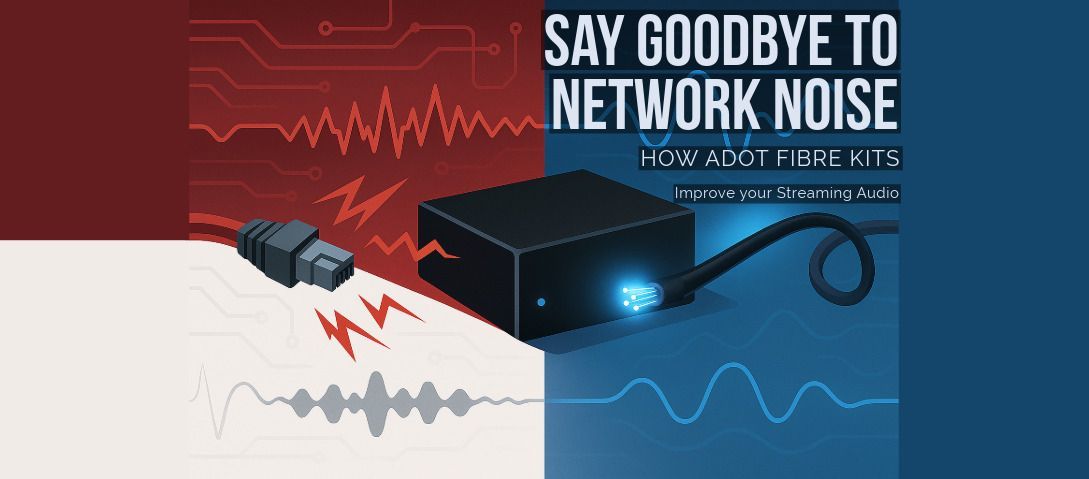
Network noise is unwanted electrical interference that travels along Ethernet cables and into your streaming components. Even though the audio is digital, your hi-fi gear still relies on precise timing and clean signal paths. When noise enters the system, it can affect clock accuracy, introduce jitter, and raise the noise floor, resulting in flat, lifeless playback.
Enter ADOT: Fibre Optic Isolation for Audiophiles
ADOT fibre kits are designed to replace a portion of your Ethernet connection with optical fibre, which doesn't conduct electricity. This effectively blocks noise from passing into your audio system. Each kit includes one or two media converters (with SFP fibre modules), a pre-terminated fibre optic cable, and either a switch-mode or linear power supply, depending on the model.
The result? A cleaner, quieter network path that allows your music to sound more open, detailed, and engaging. Whether you're streaming TIDAL, Qobuz, or playing files from a NAS, ADOT ensures that what reaches your DAC is as pure as possible.
ADOT Kit Options: MC01, MC02 and MC03 Variants
Recommended Option: The MC02 DUAL is the most versatile and user-friendly configuration, offering true plug-and-play operation out of the box. It includes two media converters, so you don't need additional accessories, even if your equipment doesn't have SFP ports.
Important Note: Non-dual ADOT kits (MC01, MC02, MC03 variants) are only plug-and-play if your audio device has an SFP port. Otherwise, you'll need to purchase the optional ADOT Accessory Kit, which includes an extra media converter to convert the fibre back to standard copper Ethernet.
All ADOT kits are based on the core MC01 media converter platform. The main differences lie in the type of power supply and whether they use multimode or single-mode fibre. Here's a comparison table of the available configurations:
| Model | Power Supply | Fibre Type | Media Converters | SFP Modules | Cable Length | Notes |
|---|---|---|---|---|---|---|
| MC01 | SMPS | Multimode | 1 | 2 x Multimode | 1.5m | Entry-level setup |
| MC02 | Linear PSU | Multimode | 1 | 2 x Multimode | 1.5m | Quieter power supply |
| MC02 SINGLE MODE | Linear PSU | Single-mode | 1 | 2 x Single-mode | 1.5m | Enhanced isolation |
| MC03 NP | NuPrime Linear PSU | Multimode | 1 | 2 x Multimode | 1.5m | Audiophile-grade PSU |
| MC03 NP SINGLE MODE | NuPrime Linear PSU | Single-mode | 1 | 2 x Single-mode | 1.5m | Cleanest delivery at this tier |
| MC03 PLIX | Plixir Elite Linear PSU | Multimode | 1 | 2 x Multimode | 1.5m | Premium performance option |
| MC03 PLIX SINGLE MODE | Plixir Elite Linear PSU | Single-mode | 1 | 2 x Single-mode | 1.5m | Reference-grade configuration |
| MC02 DUAL | Linear PSU | Multimode | 2 | 2 x Multimode | 1.5m | Isolation at both ends |
| MC02 DUAL SINGLE MODE | Linear PSU | Single-mode | 2 | 2 x Single-mode | 1.5m | Full isolation, ultimate clarity |
How to Install an ADOT Kit: Three Common Setups
The article correctly notes that ADOT kits are plug-and-play. What it does not explain is exactly where the kit fits in the three most common home streaming network configurations. Here is a practical installation guide for each.
Setup 1: Router to streamer (direct Ethernet connection)
This is the most common starting point. Your streamer is connected directly to your router by a single Ethernet cable. With the MC02 DUAL:
- Connect an Ethernet cable from your router's LAN port to the copper Ethernet port on the first media converter (MC-A).
- Connect the pre-terminated fibre cable between the SFP port on MC-A and the SFP port on the second media converter (MC-B).
- Connect an Ethernet cable from the copper Ethernet port on MC-B to the Ethernet input on your streamer or DAC.
- Power MC-A from any convenient mains socket. If the kit includes two power supplies, power MC-B separately close to the streamer.
The fibre link now sits between your router and your streamer, providing complete galvanic isolation. No configuration is required.
Setup 2: Router to network switch to streamer
Many systems use a managed or unmanaged network switch between the router and the streamer, particularly in homes with multiple streaming devices. In this configuration, the ADOT kit should be inserted between the switch and the streamer rather than between the router and the switch. Noise accumulates progressively along the network path, so isolating at the point closest to the streamer gives the greatest benefit. MC-A connects to the switch's output port; MC-B connects to the streamer's Ethernet input.
Setup 3: Streamer with SFP port (single converter needed)
Some high-end streamers and network players (including certain Melco, Lumin, and Innuos models) have a built-in SFP port. In this case, only one media converter is needed: MC-A connects to the router or switch via copper Ethernet, and the fibre cable connects directly from MC-A's SFP port to the SFP port on the streamer. No second converter is required, making the non-dual MC02 or MC03 kits the most cost-effective choice in this scenario.
The power supply quality of the media converter closest to your streamer has the most influence on sound quality. If budget allows, prioritise a better PSU (MC03 NP or MC03 PLIX) on the converter that connects directly to your streamer.
Do You Need Technical Knowledge to Use ADOT?
Not at all. All ADOT kits are plug-and-play. There's no software setup required, no IP addresses to configure, and no disruption to your streaming services. You simply connect your router to one converter, and the second converter to your streamer or DAC. The fibre cable in between does the magic.
Real Listening Benefits
Users consistently report the following improvements after installing ADOT:
- Lower background noise
- Greater dynamic range
- Improved stereo imaging
- More natural instrument tone and vocal presence
- Reduced digital harshness and listening fatigue
ADOT addresses network-level noise. For those who also want to tackle the power supply noise that affects the ADOT converters themselves and the streamer's internal components, our guide to whether DC power supply upgrades improve sound covers the complementary approach that many ADOT users add as a second step.
Is It Right for Your System?
If you rely on network audio in any form, whether from a streaming service, NAS drive, or Roon core, ADOT can make a real difference. It's especially beneficial for high-end streamers and DACs, but even modest systems can reveal new levels of performance with fibre isolation in place.
Final Thoughts
ADOT fibre kits offer an elegant way to solve a subtle but significant problem. By removing conducted noise from your network, they allow your hi-fi system to operate at its full potential. No tweaks, no snake oil, just better engineering and a cleaner signal path.
Explore the full range of ADOT kits at FutureShop and experience what your system has been missing.
Browse the full ADOT range at FutureShop. Not sure which kit suits your network configuration or whether your streamer has an SFP port? Get in touch with our team and we will help you find the right ADOT solution for your setup.