Our Verdict
A well-designed AV distribution system brings the full home entertainment experience to every room. The right technology choice: HDBaseT for permanent installations, HDMI matrix for flexible switching, or IP for large-scale scalability, determines both performance and long-term ease of use.
Quick Take
- HDMI splitters send one source to multiple displays. HDMI matrices route multiple sources independently to multiple displays. HDMI extenders carry the signal over long distances via Cat6/7 or fibre cable.
- HDBaseT carries uncompressed 4K video, audio, Ethernet, control, and power over a single Cat6 or Cat7 cable up to 100 metres, making it the preferred choice for permanent custom installations.
- HDMI over IP distributes video via network infrastructure and scales easily: additional displays or sources connect to a network switch. Dedicated managed switches are recommended over home broadband routers.
- For audio, digital formats (S/PDIF, optical, AES/EBU) offer cleaner transmission than analogue. Networked audio systems such as Roon allow high-resolution multi-room streaming with excellent synchronisation.
- Cat6 and Cat7 cable outperforms Cat5e for HDMI extenders, offering greater bandwidth and shielding for longer runs and better signal integrity.
- Plan conduit or trunking at installation time to allow cable replacement or system expansion later, even if the system starts small.
As modern homes embrace multi-room entertainment, distributing high-quality audio and video signals around the house has become a key part of system design. AV distribution allows you to enjoy movies, music, and streaming content in multiple rooms, all from centralised sources, without compromising on quality. This guide explains how AV distribution works, the different connection types available, and what to consider when designing your system.
What Is AV Distribution?
AV distribution refers to the process of sending audio and video signals from one or more sources (such as Blu-ray players, media servers, or streaming boxes) to multiple displays or speakers throughout a property. Instead of having separate devices in each room, a distribution system centralises the equipment and delivers content via structured cabling or wireless technologies.
A well-planned distribution setup offers convenience, reduced clutter, and a seamless user experience, perfect for home cinemas, open-plan living spaces, and whole-home automation systems.
Common Distribution Technologies
HDMI Distribution
HDMI remains the standard connection for high-definition and Ultra HD video. Distribution can be achieved using:
- HDMI Splitters: Send one HDMI source to multiple displays.
- HDMI Matrices: Allow multiple sources to be switched and routed independently to multiple displays.
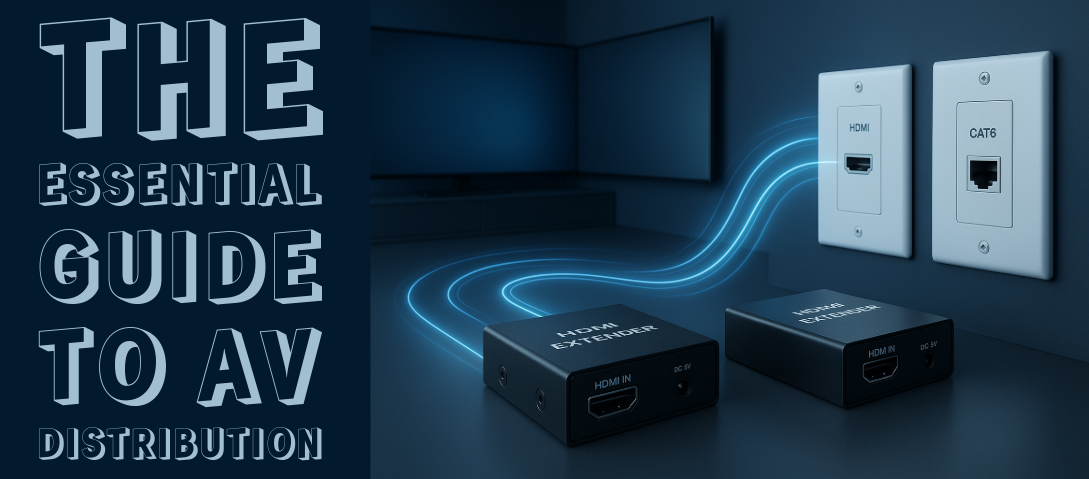
- HDMI Extenders: Transmit HDMI signals over long distances using Cat6/7 or fibre cables.
HDBaseT Systems
HDBaseT is a professional-grade standard for long-distance AV transmission. It carries uncompressed 4K video, audio, Ethernet, control, and power (PoH) through a single Cat6 or Cat7 cable, up to 100 metres. This makes it ideal for permanent installations and custom home cinema systems.
HDMI over IP
For larger or more flexible systems, HDMI over IP uses network infrastructure to distribute video signals. This allows for easy scalability, as additional displays or sources can be added by connecting new transmitters and receivers to a network switch.
Wireless Distribution
Wireless HDMI kits provide a quick solution where running cables isn't practical. While convenient, they may introduce latency or compression, making them best suited for secondary zones rather than reference-grade setups.
Audio Distribution Options
Analogue Audio Distribution
Traditional systems may distribute audio via RCA, XLR, or speaker-level connections. These setups are simple but can be limited by cable length and signal degradation.
Digital Audio Distribution
Modern systems often rely on digital formats such as S/PDIF, optical (Toslink), or AES/EBU. These connections offer cleaner transmission and easier integration with DACs and AV receivers.
Networked Audio Systems
Technologies like Dante or Roon allow high-resolution multi-room audio streaming over Ethernet or Wi-Fi. They offer excellent synchronisation, control, and scalability, ideal for distributed hi-fi or smart home installations.
Key Components in AV Distribution Systems
- Matrix Switchers: Central hubs that route multiple inputs to multiple outputs, often with control integration via IR, RS232, or IP.
- Extenders and Receivers: Convert HDMI or HDBaseT signals for long-distance transmission.
- Baluns: Adapt HDMI signals to travel over Cat6/7 cable and convert them back at the display.
- Wall Plates: Provide clean and accessible connections at each display point.
- Control Systems: Enable easy switching and automation through remotes, touch panels, or apps.
Planning an AV Distribution System
- Define the zones: Identify how many rooms or zones you want to include.
- Select the sources: Consider what equipment will feed the system: Blu-ray players, Sky boxes, streamers, etc.
- Choose the infrastructure: Decide between HDMI, HDBaseT, or IP-based solutions based on distance and scalability.
- Plan control options: Integrate with remote controls or smart home systems for intuitive operation.
- Consider audio separately: Decide if you'll distribute stereo or surround sound and whether to use analogue, digital, or networked methods.
- Allow for future upgrades: Use conduit or trunking to make cable replacement or system expansion easy.
Which Technology for Your Installation?
The four distribution technologies above each suit different installation scenarios. The right choice depends on the number of zones, whether cable runs are possible, and whether the system needs to scale over time. Here is FutureShop's scenario-by-scenario guide.
One source to two or three displays in adjacent rooms (single-storey or open-plan): An HDMI splitter is the simplest and most cost-effective solution. All displays receive the same signal simultaneously. The limitation is that all displays must show the same source at the same time: there is no independent switching. Where the cable run between rooms is under 10 metres, a standard HDMI cable with a passive splitter is sufficient. For runs over 10 metres, an active splitter with powered outputs or a short HDMI extender at each display maintains signal integrity. Blustream and CYP produce reliable active splitters at accessible price points for this use case.
Multiple sources to multiple displays with independent control (two to eight zones): An HDMI matrix switcher is the correct technology. A 4x4 matrix routes any of four sources to any of four displays independently: one room can watch a Blu-ray while another watches a streaming box. For cable runs within 5 metres of the matrix, standard HDMI cables are adequate. For runs to distant rooms, HDBaseT transmitter/receiver pairs at each display extend the matrix output over Cat6 or Cat7 cable up to 100 metres. A matrix combined with HDBaseT extension is the most common architecture for custom home cinema and multi-room AV installations in the 2 to 8 zone range. Blustream HDBaseT matrix systems combine the switching and extension in a single product family, simplifying specification and reducing the number of components in the rack.
Permanent installation with long cable runs to fixed display locations (new build or renovation): HDBaseT is the preferred infrastructure for any fixed installation where Cat6 or Cat7 cabling is being run during a build or refurbishment. A single Cat6 or Cat7 cable from the equipment rack to each display location carries 4K video, audio, Ethernet, IR control, and power to the display's receiver, eliminating the need for multiple cables at each point. The 100-metre range covers any domestic installation and most commercial ones. Planning the cable routes during the build and installing conduit at the same time allows future cable replacement or system expansion without redecoration. For a detailed look at HDBaseT as a system architecture, our Blustream guide to HDBaseT covers the technology and its advantages for domestic installations.
Large-scale system with more than eight zones or a need to expand incrementally: HDMI over IP is the most scalable approach for systems that will grow over time or where zone count exceeds what a fixed-size matrix can handle. Transmitters and receivers connect to a managed network switch: adding a new zone means adding a transmitter, a receiver, and a switch port, with no need to replace the central matrix. The trade-off is that HDMI over IP requires a dedicated managed network switch (not a home broadband router) and careful VLAN configuration for reliable operation. For large-scale residential installations or commercial applications, HDMI over IP from Blustream or SEADA is the architecture that professional integrators specify for systems intended to grow and evolve.
Retrofit into an existing property without cable runs: Wireless HDMI distribution is the pragmatic choice where cable runs are not possible in an existing property. The latency and compression limitations of wireless distribution are more acceptable in secondary zones (bedroom TVs, garden rooms) than in a primary home cinema where image quality is the priority. For the primary viewing room in a retrofit scenario, a short HDBaseT extender pair using a cable run through existing trunking, or through loft/underfloor space, is always preferable to wireless where any cable path is available.
Common Questions About AV Distribution
Can I send 4K video over long distances?
Yes. HDBaseT and fibre HDMI solutions can deliver uncompressed 4K HDR video up to 100 metres or more.
Is there a difference between Cat5e, Cat6, and Cat7 for HDMI extenders?
Yes. Higher-category cables (Cat6/7) offer greater bandwidth and shielding, allowing for longer runs and better signal integrity.
Can I use my home network for HDMI over IP?
Possibly, but it depends on bandwidth and switch quality. Dedicated managed switches are recommended for reliability.
Do I need separate audio cables for distributed sound?
Not always. Many HDBaseT and IP-based systems carry both video and audio together.
What's the benefit of centralising my AV equipment?
Reduced clutter, easier control, longer equipment lifespan, and cleaner cable management throughout your home.
Summary
A well-designed AV distribution system brings the full home entertainment experience to every room. Whether you're running HDMI through HDBaseT, streaming via IP, or integrating wireless zones, thoughtful planning ensures consistent performance and ease of use. Investing in quality cables, extenders, and switching hardware pays dividends in reliability and image fidelity.
Explore our full range of AV distribution solutions, including HDMI matrices, HDBaseT kits, extenders, and wall plates, from trusted brands like Blustream, CYP, and SEADA.
For everything you need to know about the HDMI cables that connect these systems, our Essential Guide to HDMI Cables covers specifications, cable length, and format compatibility in detail. If you are wondering whether cable quality matters for your installation, our article Does a Better HDMI Cable Actually Improve Picture and Sound Quality? answers the question directly.
Browse our complete range of AV distribution solutions, including HDMI matrices, extenders, and HDBaseT systems. Not sure which solution suits your installation? Get in touch with our team for free expert advice.